> For the complete documentation index, see [llms.txt](https://docs.rayon.design/llms.txt). Markdown versions of documentation pages are available by appending `.md` to page URLs; this page is available as [Markdown](https://docs.rayon.design/french/autres-ressources/product-updates/january-24-product-updates.md).
# Janvier 2024 Mise à jour
Toutes les nouveautés et améliorations de janvier 🔥
Nous avons **ajouté et** **amélioré les fonctionnalités** pour améliorer votre flux de travail !
✨ **New features:**
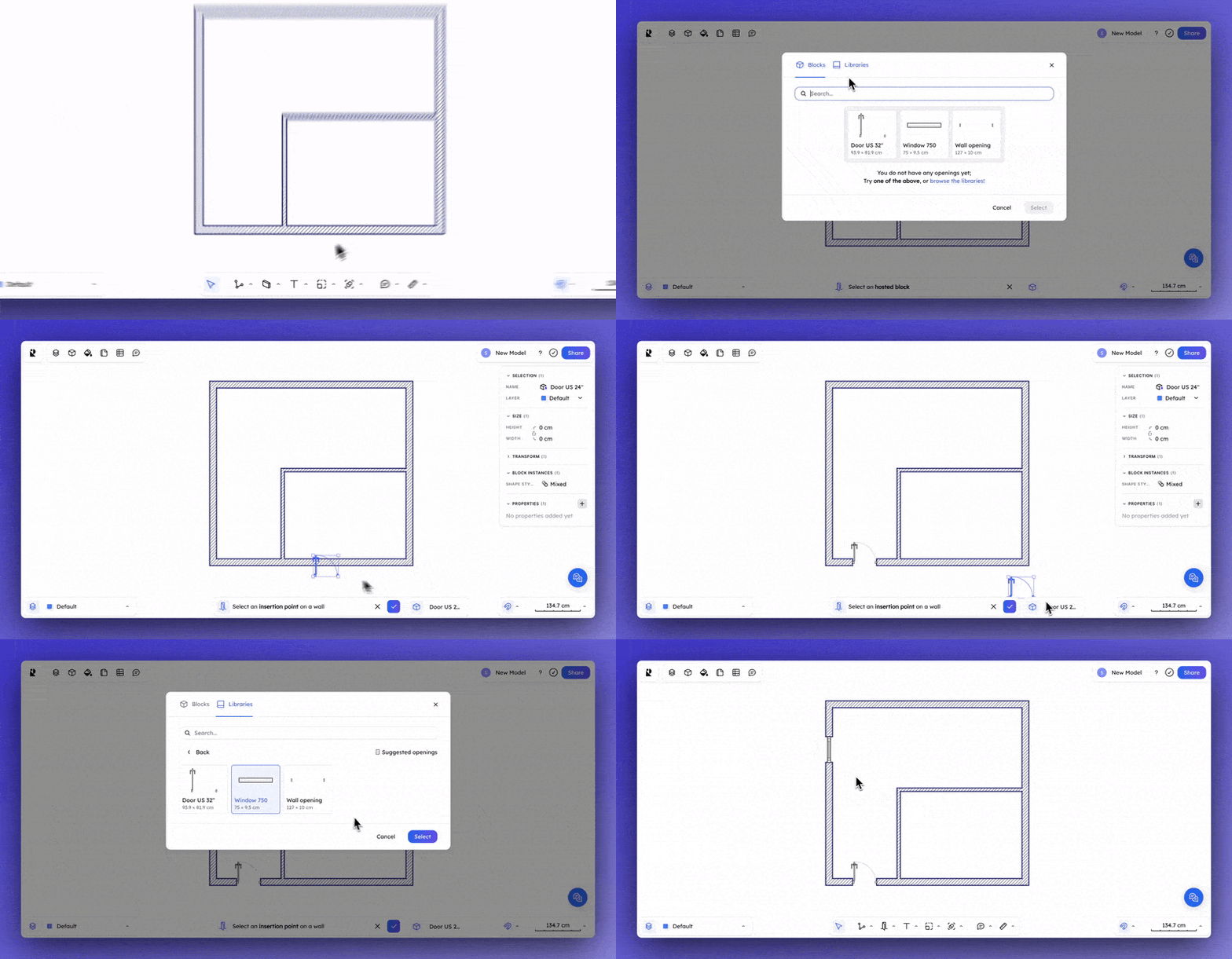
* Commande d'ouverture (portes et fenêtres)
💪 **Improved features:**
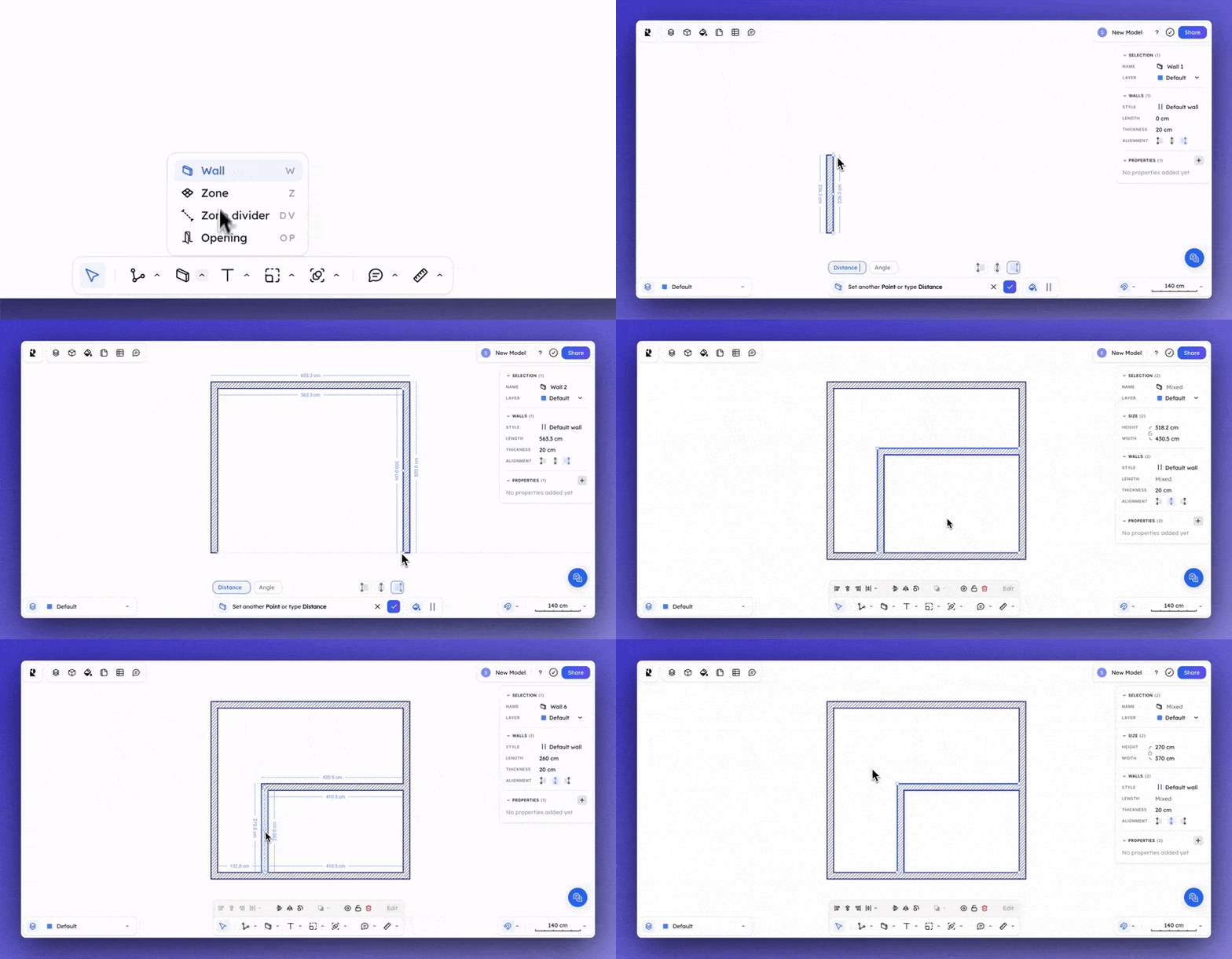
* Réédition des murs
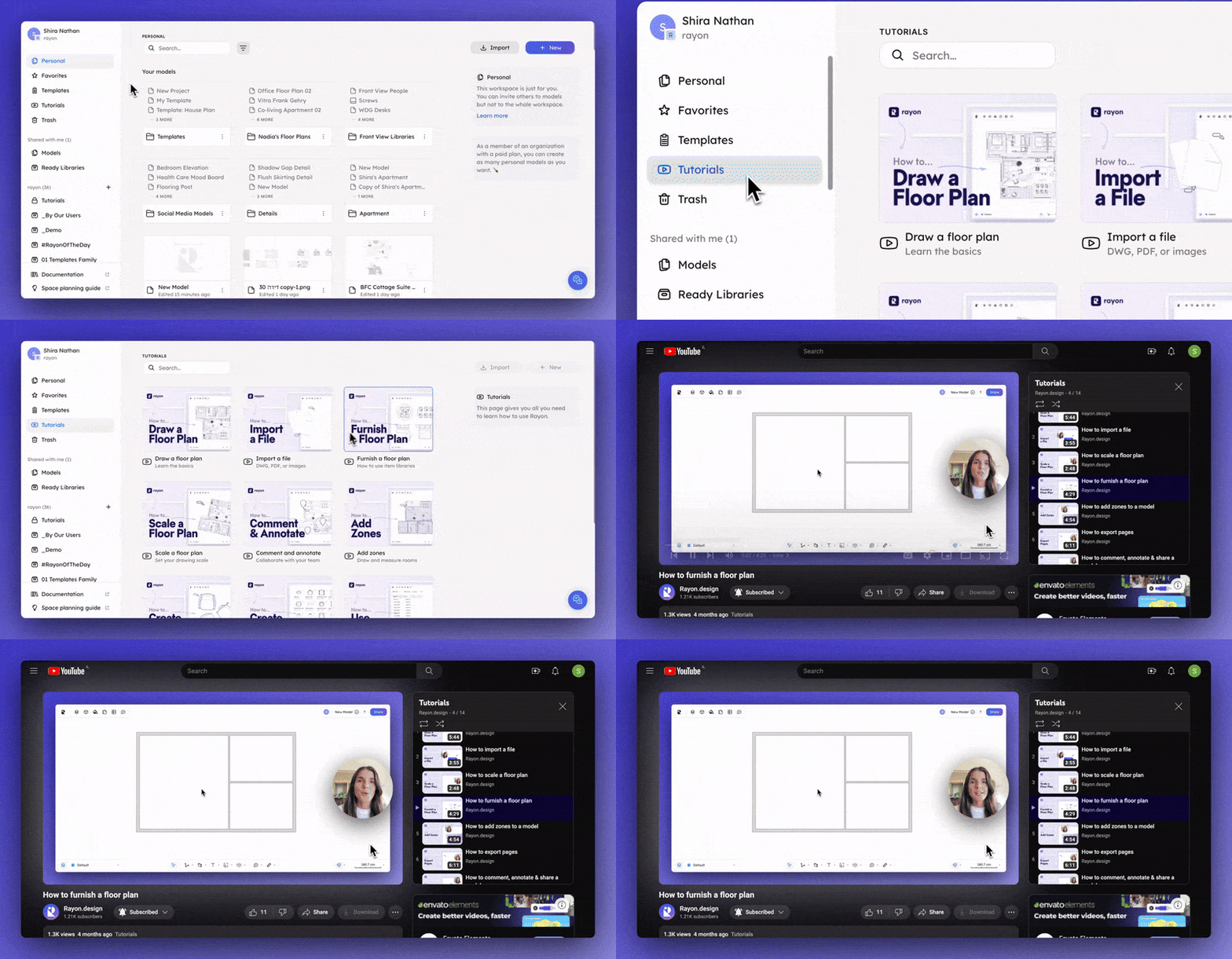
* Section du modèle dans l'application
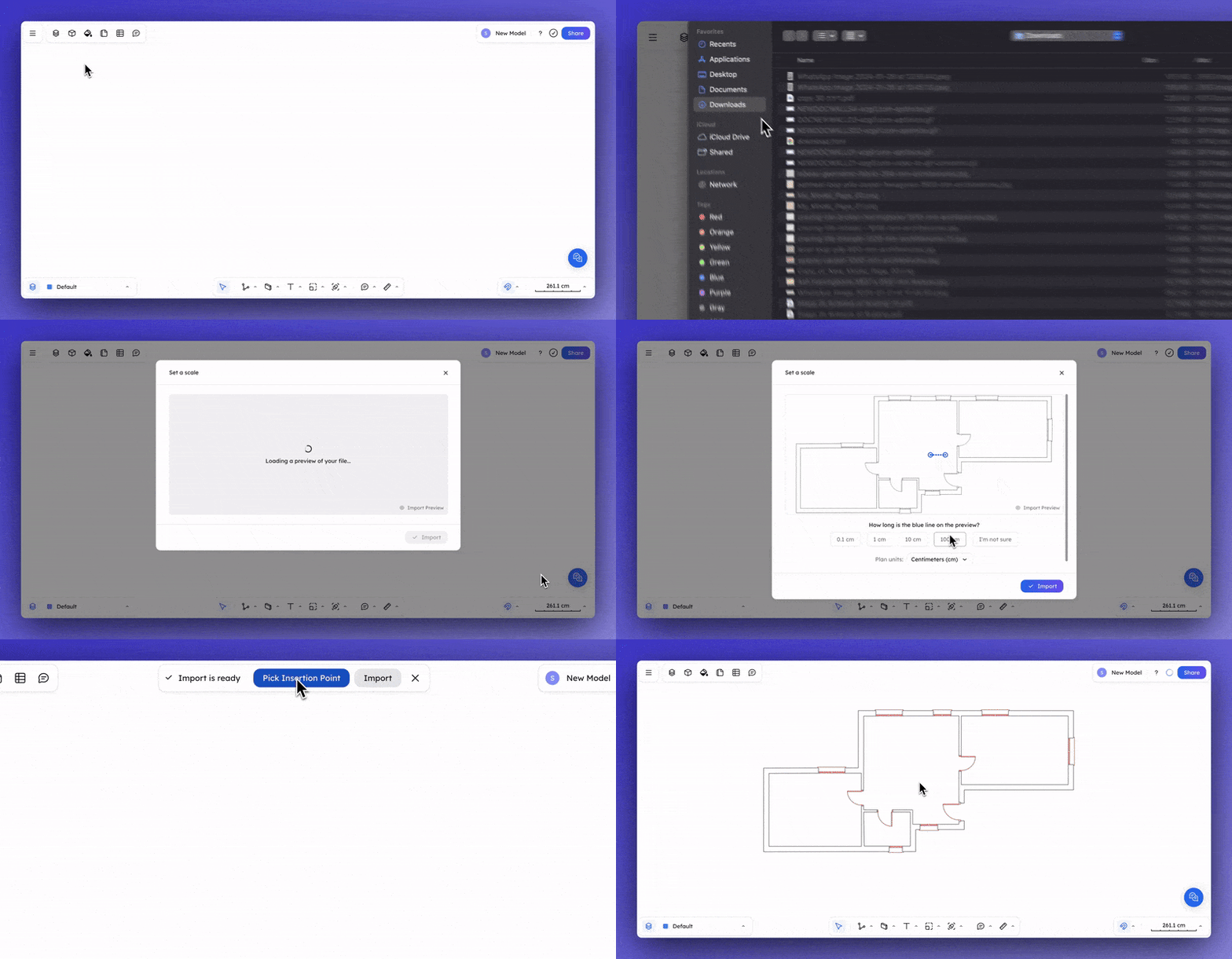
* Point d'insertion de l'importation DWG
Pour un aperçu plus approfondi des fonctionnalités de Rayon, 👉 consultez notre [documentation](/french/documentation/rayon-documentation.md) 🔗
## ✨ Commande d'ouverture (portes et fenêtres)
Le placement d'une ouverture à l'intérieur d'un mur est devenu beaucoup plus rapide ! Cliquez sur la commande **`Ouverture (OP)`** dans la barre d'outils inférieure pour **accéder rapidement aux blocs de portes et de fenêtres**.
## 💪 Réédition des murs
Vous pouvez désormais modifier l'emplacement d'un mur en le sélectionnant et en **indiquant une distance** pour ajuster sa position sur le canevas.
## 💪 Section des modèles dans l'application
Tous les **tutoriels Rayon sont maintenant disponibles sur le panneau gauche du gestionnaire de projet** pour un accès rapide lorsque vous avez besoin d'une explication pratique !
## 💪 Point d'insertion de l'importation DWG
Vous pouvez maintenant **choisir un point d'insertion** lors de l'importation de fichiers DWG directement dans le canevas !
***
**Des questions ? ☝️**
→ N'hésitez pas à nous envoyer un courriel à 🙌
→ Pour un aperçu plus approfondi des fonctionnalités de Rayon, consultez notre [documentation](/french/documentation/rayon-documentation.md) 🔗