> For the complete documentation index, see [llms.txt](https://docs.rayon.design/llms.txt). Markdown versions of documentation pages are available by appending `.md` to page URLs; this page is available as [Markdown](https://docs.rayon.design/other-resources/product-updates/april-25-product-updates.md).
# April '25 Product Updates
Discover April's new & improved features.
{% hint style="info" %}
April has seen some major updates: new presentation mode, new guideline command, a brand new community website, and much more.
{% endhint %}
**List of April's features...**
* Presentation mode
* Guideline
* AI toolbox
* Community
* Import flow
* New templates, new libraries
For a more in-depth look at Rayon's features → check our [documentation](https://docs.rayon.design/documentation/rayon-documentation).
***
## Presentation mode
Rayon allows converting pages into **public presentations**, ready to shared in a single click.\
Presentations can be used cross-browser and cross-device, offering a much more accessible sharing experience. More on presentations in our [documentation](https://docs.rayon.design/documentation/publishing-and-sharing/presenting-your-project).
## Guideline
Rayon finally offers a **guideline** tool, allowing users to create endless projection lines.\
More on guidelines in our [documentation](https://docs.rayon.design/documentation/design/drawing-tools#h_96fce2d1c9-1).
{% embed url="" %}
## AI toolbox
Rayon offers as of this month an AI toolbox for image editing; namely:
* **Upscale images**: Instantly sharpen and enhance your visuals for a more professional, polished look.
* **Remove backgrounds**: Drag and drop images onto your canvas, then remove backgrounds in just a few clicks.
More on AI image editing in our [documentation](/documentation/design/images.md).
## Community
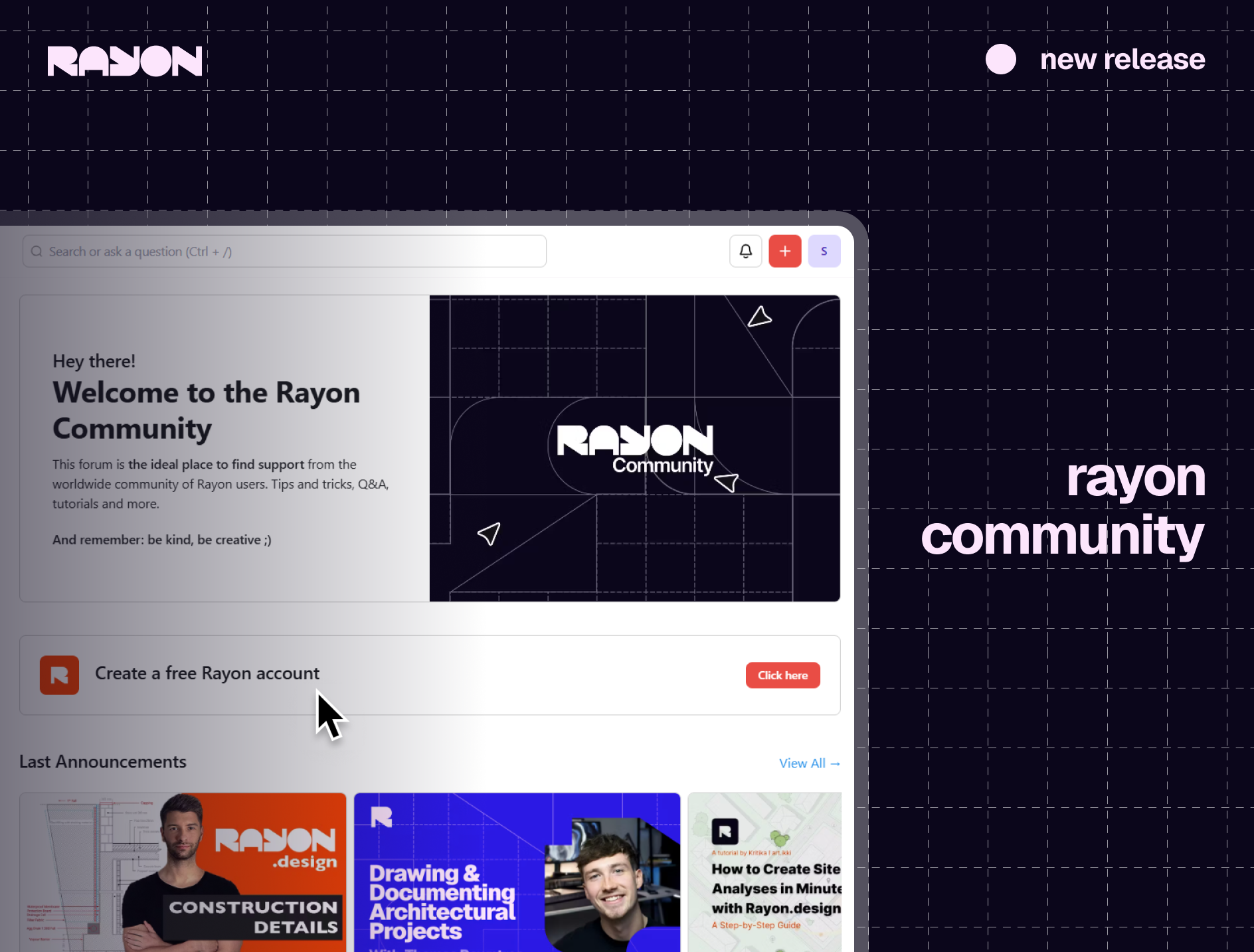
We are introducing the official [Rayon Community](https://community.rayon.design/), a space where we can all share knowledge and creativity together. Feature requests, discussions, tutorials, etc : the community is here to empower Rayon's community of users, and help find the help they need. Join us today!
## New import flow
We have entirely revamped the way files (DWG and PDF) get imported in Rayon. A dedicated interface now allows scaling files with much more precision than before.
More on import in our [documentation](https://docs.rayon.design/documentation/models-and-team-management/importing-files#h_e434426e1e).
## April libraries
Everything we shipped this month, and available today in the app...
**Blocks**
* Wardrobe typologies (based on the user’s feedback) (242)
* Bedroom accessories (221)
* Bookcases (33)
* Garage doors (57)
* Cinema blocks (132)
* Escape and emergency exit doors (45)
**Templates**
* Urban Apartment Construction Site Management template
* Mall Construction Site Management template
* Eco-Home Construction Site Management template
* Offices Park Construction Site Management template
* Warehouse Construction Site Management template
* Villa Drawing Set Template
* Coffee Shop Drawing Set Template
* Rooftop Garden Drawing Set Template
* Duplex Apartment Drawing Set Template
* Gym Template
* Kids Bedroom Details template
* Bedroom Details template
* L shape Kitchen Millwork Template
* Kitchen Island Millwork Template
* Glass Window & door drawing Template
* Circular Glass Staircase Drawing
* Spiral Staircase Drawing
* L-shape Glass Staircase Drawing
* U-Shape Glass Staircase Drawing
* Wooden Staircase Drawings U-Shape
* Rounded Staircase Drawing
* Single Escalator Drawing
* Double Escalator Drawing
* Rounded Staircase Drawings
* Half-Circle Staircase Drawings
***
## **Any questions?**
Feel free to email us at
For a more in-depth look at Rayon's features, check out our [documentation](https://docs.rayon.design/documentation/rayon-documentation) 🔗

.avif?alt=media&token=c76b60d6-55cc-4695-9a67-bc68657782a5)
.webp?alt=media&token=20bc20b1-f8f1-4e12-9d65-5c3245a406cb)